
For AI programming tools like Cursor and Claude Code, do you ever feel that they can only be used for programming?
If you’re paying a $20 monthly subscription fee but only using 1/3 or 1/4 of its capacity, and then it sits idle, I believe you’re wasting its potential and your quota.
But in fact, you can use Cursor or Claude Code to perform any automation task you can think of. These tasks can not only help you improve work efficiency but also maximize the value of your subscription fee.
This article will open up new ideas for you.
Why AI Programming Is More Than Just Writing Code
Let’s dissect the essence and see why AI programming tools like Cursor and Claude Code can do more than just write code; they can also perform various automation tasks.
For an AI programming tool to write code, it must possess the following capabilities:
- Read and write files (because it needs to understand and modify code)
- Web search (because it needs to look up information)
- Execute shell commands (because it needs to set up environments, run tests)
And by combining these capabilities, it can perform all sorts of automation tasks.
Think about it: when you usually instruct it to write code, don’t you see it first reading code files to understand the task context, then making various file modifications, and finally executing a shell command to test if the functionality is working correctly?
Exactly, equipping large models with various tool capabilities is the concept of an Agent. AI programming tools are essentially powerful Agents designed to complete code-writing tasks. This Agent, combined with powerful Claude/GPT models, can then handle complex programming tasks.
With such a powerful Agent, we can naturally assign it other tasks and let it figure out how to complete them. Next, I will provide two very representative examples for your reference.
Case Study 1: Automatically Merging Git Commits
When I write code (whether using AI or not), I’m accustomed to committing and saving frequently as I write. This means that by the time an entire feature is complete, I might have accumulated many temporary commits:
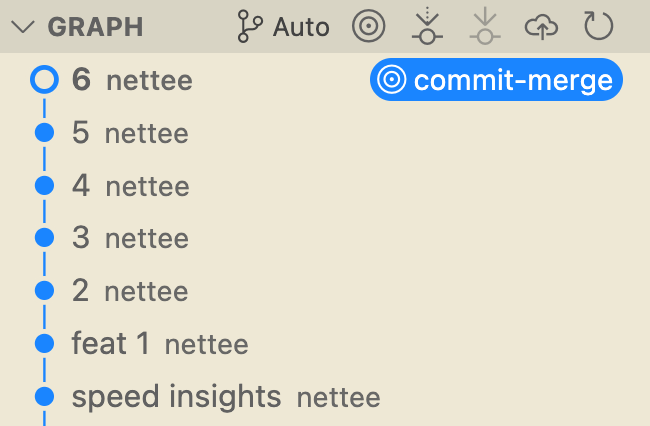
As is well-known, Cursor (which is VS Code) has relatively weak Git history management capabilities. So, to merge these temporary commits, I would need to use git rebase -i in the command line, which is very cumbersome.
So, is there a tool that can help me automatically merge historical Git commits? The answer is right under my nose: Cursor itself.
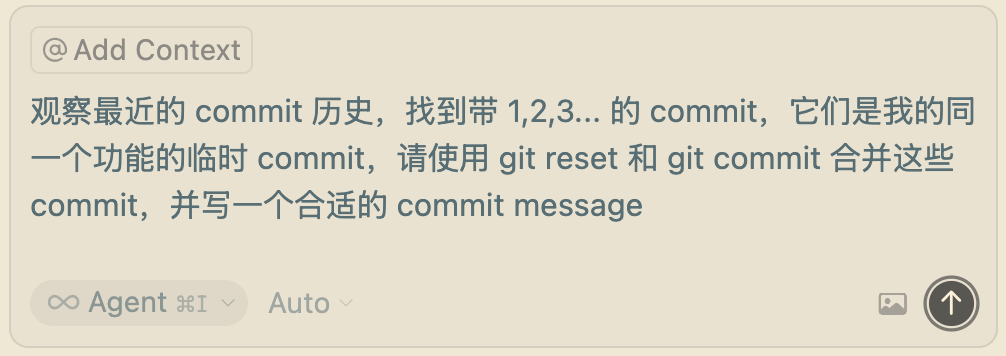
I would input a Prompt like this:
Soon, the Git commits were merged:
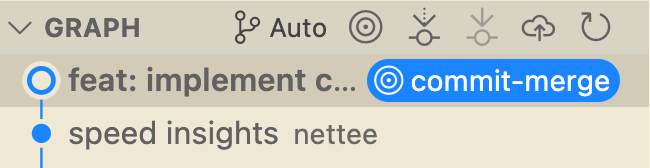
Why can Cursor do something like this? The answer is simple: because Cursor, as a programming Agent, supports executing shell commands, so commands like git reset and git commit are naturally within its capabilities. This way, Git history merging is automated.
I even turned this Prompt into a Cursor rule, allowing me to issue the task with a single click, saving me the time of manually typing Git commands every time.
The original Prompt is as follows, feel free to use it:
Observe the recent commit history, find the commits labeled 1,2,3… which are temporary commits for the same feature I’m working on. Please use
git resetandgit committo merge these commits and write an appropriate commit message.
Case Study 2: Fully Automated Project Manager
A while ago, I stumbled upon an eye-opening project on GitHub: Claude Code PM (Project Manager). I haven’t used this project specifically, but its bold approach of using Claude Code for automation tasks is truly impressive.
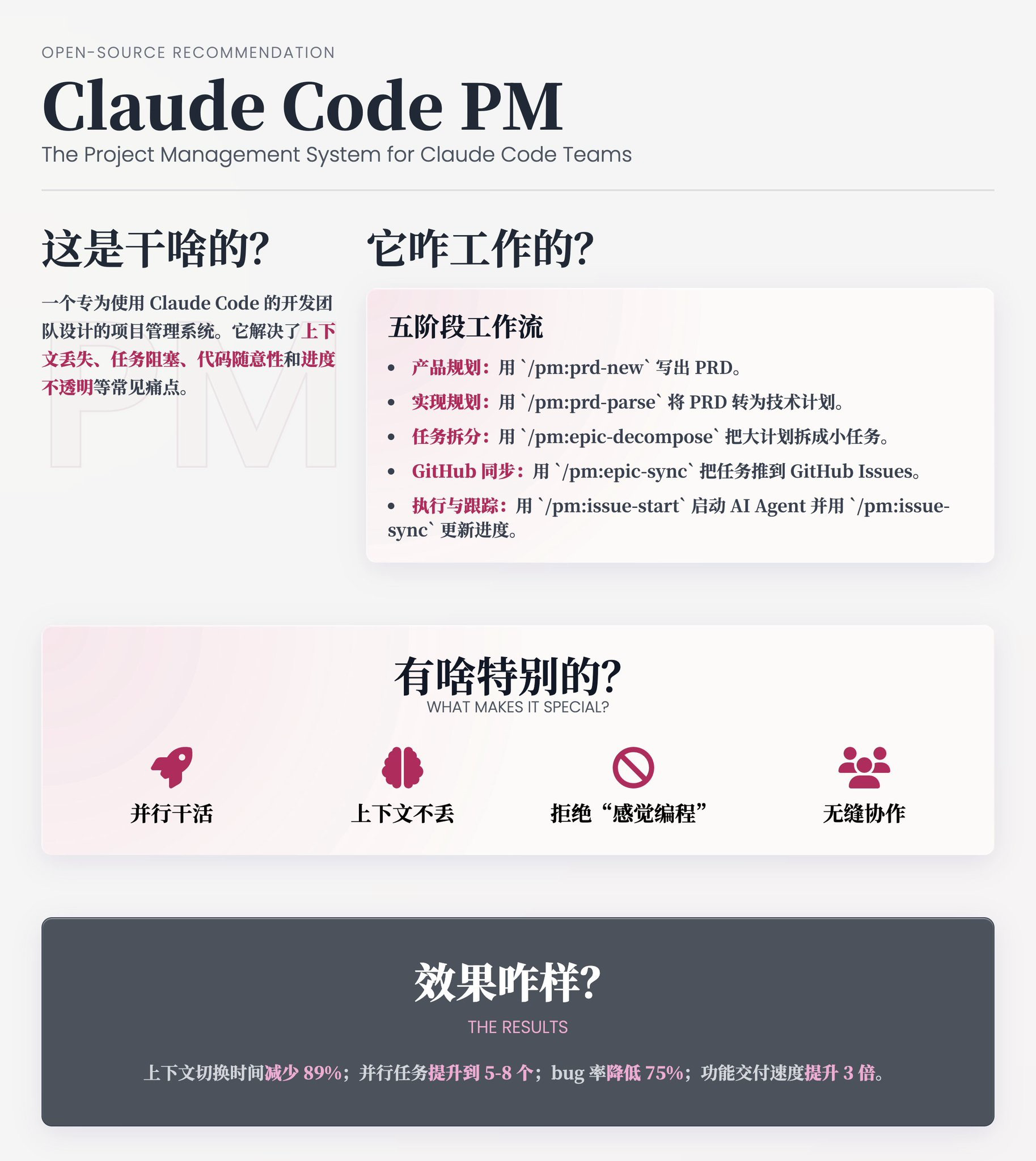
Few people would associate a project manager with an AI programming tool like Claude Code. Most people might use project management tools like Trello or Teambition to track progress. However, this means the AI wouldn’t be able to access that information.
This project is cleverly designed; it uses Markdown files to manage PRDs (Product Requirement Documents) and progress. Since Markdown is the ‘native language’ of large models and is stored within the project files, Claude Code can easily read and understand this information.
Even better, Claude Code can refer to this information while writing code to get more accurate context, and it can also use its file-writing capabilities to update the progress.
We don’t necessarily have to become a project manager, but we can certainly emulate the ideas from this project:
- Before developing a complex feature, have the AI generate Markdown documents for the development plan and progress, keeping them in the same project as the code.
- Each time you ask the AI to write code, load the development plan so it has a clearer understanding of the current task’s context.
- After the AI completes a feature, have it update the development progress document as well.
This way, you save the effort of manually recording progress, and the code written by the AI becomes more standardized and controllable.
Project repository address: https://github.com/automazeio/ccpm
Conclusion
The AI programming tool you subscribe to monthly is essentially a powerful Agent, so please don’t waste its capabilities.
Starting today, you can think about what workflows in your projects can be automated and then try handing them over to your AI programming tool. I believe this powerful Agent can help you solve problems.
Here are some feasible tasks you can start trying in your workflow today:
- File-related: Batch renaming/merging files, daily/weekly report generation, release note generation
- Development-related: Development TODO management, automatic API documentation generation, automatic test report summarization
- Project management-related: Project progress management, automatically updating requirement documents based on code, automatically recording requirements based on meeting minutes
Once you start experimenting with these uses, you will unlock a new level of using AI programming tools. This will not only help you make better use of your subscription fees but also allow you to grasp the underlying logic of AI programming tools.
May you further explore the capabilities of these tools and take your work efficiency to the next level!